PCB Design with KiCad Part 5: ERC — let KiCad find your wiring mistakes
// WHAT YOU WILL LEARN
The Electrical Rules Check flags unconnected pins, outputs shorted together and power pins with no source.
// LESSON NOTES
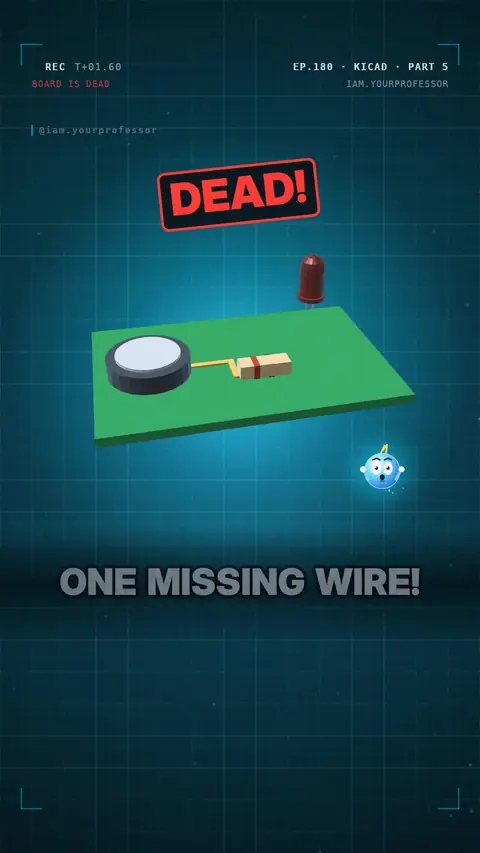
Your new board is dead… because of ONE missing wire. 😱
✅ KiCad can catch it BEFORE you order: the ERC (Electrical Rules Check).
🖱️ Inspect → Electrical Rules Checker → Run ERC.
🚩 Red arrow markers show: unconnected pins, outputs shorted together, power pins with no source.
🔧 Fix an open pin: wire it (W)… or, if it's meant to be unused, mark it with the no-connect X (Q).
Run ERC every time before you make the PCB!
Read the voiceover (transcript)
- Your new board is dead. Why? One missing wire!
- KiCad can find it before you order. It's called ERC!
- Electrical Rules Check: click Inspect, then Run ERC!
- It flags open pins, shorted outputs and power with no source!
- Guess: what's wrong here?
- This pin is not connected!
- Wire it, or mark it with an X!
- Next: symbol versus footprint. Follow for Part 6!
Related lessons
 EP.148 · PCB Design with KiCad · 3PCB Design with KiCad Part 3: Your first schematic — battery, resistor, LED
 EP.132 · PCB Design with KiCad · 2PCB Design with KiCad Part 2: Why KiCad?
 EP.107 · PCB Design with KiCad · 1PCB Design with KiCad Part 1: What is a PCB?
 EP.178 · Chips · 6Chips Part 6: What is a GPU? Thousands of small cores
// NEWSLETTER · FREE
Get new lessons + early access to the full course
One email when new lessons drop. No spam, unsubscribe any time.
✓ You're on the list! We'll email you when new lessons drop.
By joining you agree to the privacy policy.