Embedded C Part 8: the bit shift trick — what does 1 << 5 mean?

// WHAT YOU WILL LEARN
1 << n makes a mask with only bit n set (1<<5 = 0b00100000).
// LESSON NOTES
What does 1 << 5 mean in C? 🤔💻
1️⃣ Start with a 1 in bit 0: 0b00000001.
⬅️ << 5 shifts it LEFT five places — and every step doubles it: 1 → 2 → 4 → 8 → 16 → 32.
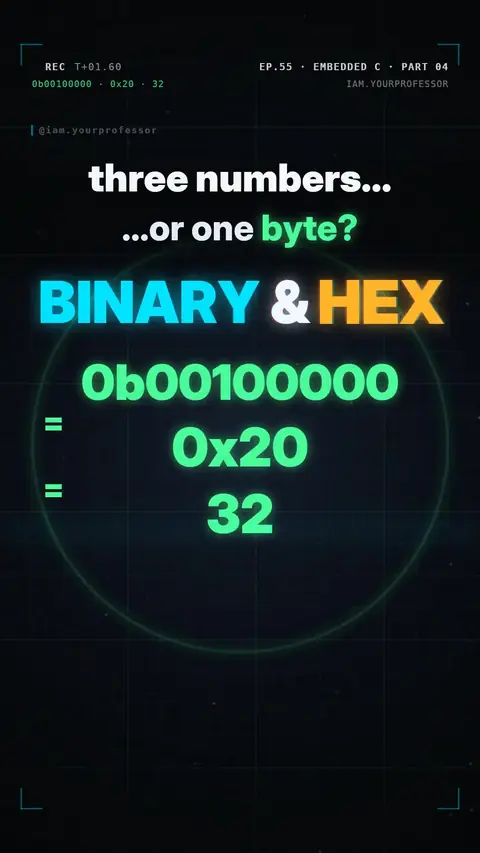
✅ So 1 << 5 = 0b00100000 = 0x20 = 32.
💡 On an Arduino Uno, bit 5 of port B (PB5) is pin 13 — the LED!
🎭 It's a MASK: a byte with only one bit on, so you can aim at exactly one pin.
DDRB = (1 << 5); // PB5 (pin 13) → output
TESTED CODE · ec08_bit_shift.c · avr-gcc
// EC L08 - 1 << n builds a mask with only bit n set
#include <avr/io.h>

int main(void) {
    uint8_t m0 = (1 << 0);   // 0b00000001
    uint8_t m3 = (1 << 3);   // 0b00001000
    uint8_t m5 = (1 << 5);   // 0b00100000 = 0x20
    DDRB = m5; (void)m0; (void)m3;
    while (1) { }
}
Read the voiceover (transcript)
- What does one shift-left five mean?
- Start with a one in bit zero.
- Shift it left five places. Each step doubles it!
- One, two, four, eight, sixteen, thirty-two!
- So which pin does it pick?
- Bit five: pin thirteen, the LED!
- A mask with only one bit on.
- Next: set one bit without breaking the rest. Follow for Part 9!
Related lessons



// NEWSLETTER · FREE
Get new lessons + early access to the full course
One email when new lessons drop. No spam, unsubscribe any time.
✓ You're on the list! We'll email you when new lessons drop.
By joining you agree to the privacy policy.