Binary & hex: one byte, three ways
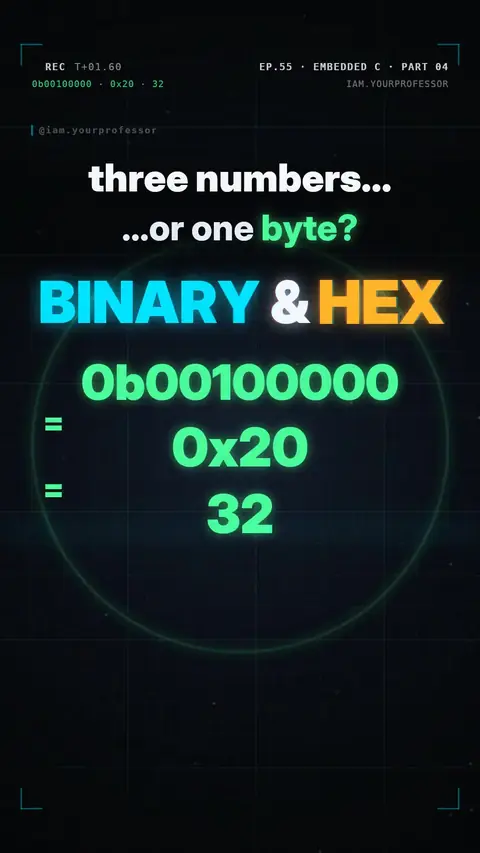
One byte = 8 bits; 0b00100000 = 0x20 = 32 are the same number.
0b00100000, 0x20 and 32… three numbers, or one byte? 🔢
1️⃣ BINARY (base 2): every bit has a place value: 128 64 32 16 8 4 2 1. Bit 5 on = 32. Bits 5, 2 and 0 = 32 + 4 + 1 = 37. "0b" tells C it's binary.
2️⃣ HEX (base 16): split the byte into two groups of 4 bits. Each group is one hex digit, 0–9 then A–F. 0010 0000 → 2 0 → 0x20. All ones: 1111 1111 = 0xFF = 255.
3️⃣ IN YOUR C CODE: DDRB = 0b00100000; DDRB = 0x20; DDRB = 32; all three set the exact same 8 bits (bit 5 → pin D13 becomes an output).
📌 Binary, hex, decimal: just three ways to write the same byte.
// EC L04 - one byte, three ways to write it
#include <avr/io.h>

int main(void) {
    DDRB = 0b00100000;   // binary : bit 5 = 1
    DDRB = 0x20;         // hex    : same byte
    DDRB = 32;           // decimal: same byte
    while (1) { }
}
Read the voiceover (transcript)
- Three numbers... or one byte?
- Binary: every bit has a place value. Bit five is thirty-two!
- Hex packs four bits into one digit, so this byte is hex two zero. All ones? F F, two fifty-five!
- In C, all three lines set the exact same bits!
- Binary, hex, decimal: same byte!
- Next: hash define! Follow for part five!
Related lessons

Get new lessons + early access to the full course
One email when new lessons drop. No spam, unsubscribe any time.
✓ You're on the list. Check your inbox to confirm.
By joining you agree to the privacy policy.