Why should you eject a USB stick?
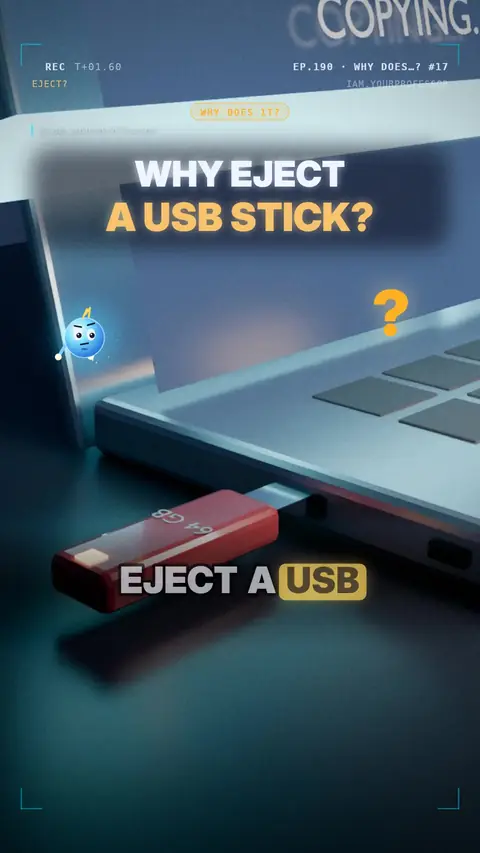
The computer keeps some data in fast memory (a write cache) and writes it to the stick a moment later; eject = finish writing first, so no file gets cut in half.
Why should you "eject" a USB stick before pulling it out? 💾⚠️
🧠 When you save or copy a file, your computer often parks it in fast memory (RAM) first…
⏳ …and writes it to the stick a moment later. The copy window can say "done" before the stick really is!
✂️ Pull the stick out mid-write and the file can be cut in half.
🗂️ Worse: the stick's file list (where every file lives) can break — then nothing opens and your PC asks to format it.
✅ Eject = finish all the writing first, then "Safe to remove".
💡 Windows uses "Quick removal" for USB sticks, so it's safer there — but if the light is blinking, it's still busy. Eject anyway!
Read the voiceover (transcript)
- Why should you eject a USB stick first?
- Your computer saves files in fast memory first!
- It writes them to the stick a moment later.
- Pull it out too early, and the file is cut in half!
- Guess: what else can break?
- The file list! Then nothing opens.
- Eject finishes the writing first!
- Next: why a full phone gets slow. Follow for more!
Related lessons
 EP.174 · Why does…?Why does…? #15: Why does your phone charge slower when it's almost full?
 EP.206 · Why does…?Why does…? #19: why a microwave oven slows down your Wi-Fi
 EP.166 · Why does…?Why does…? #14: How does an induction cooktop heat only the pan?
 EP.214 · Why does…?Why does…? #20: why LED lights flicker on your phone camera
Get new lessons + early access to the full course
One email when new lessons drop. No spam, unsubscribe any time.
✓ You're on the list! We'll email you when new lessons drop.
By joining you agree to the privacy policy.