Smart Buyer #11: Smart plugs — what to check before you buy
// WHAT YOU WILL LEARN
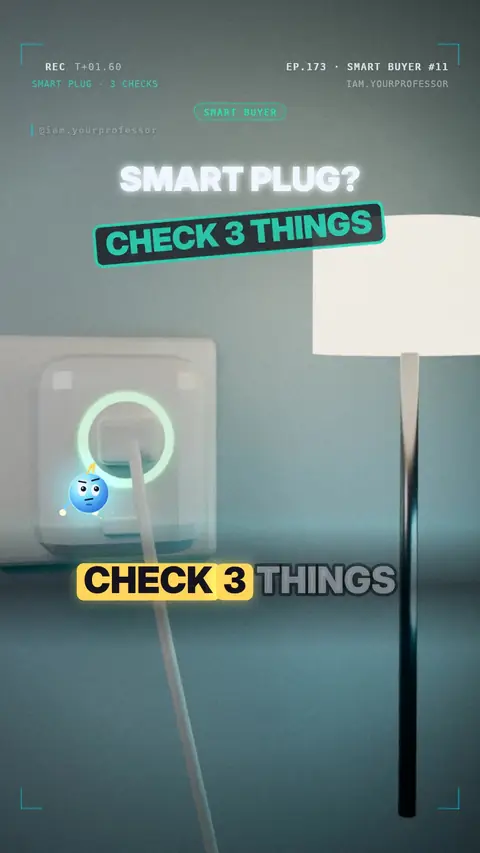
Check the max current / watts (e.g. 10 A or 16 A, 1,800 W in the US), a safety mark (UL · CE/UKCA · BIS), and that it works with your Wi-Fi band (most need 2.4 GHz).
// LESSON NOTES
Buying a smart plug? Check these 3 things first 🔌✅
1️⃣ MAX WATTS — it must beat your device. Heaters, kettles and irons need a lot!
2️⃣ A SAFETY MARK — UL (USA) · CE/UKCA (Europe/UK) · BIS (India). No mark = no buy.
3️⃣ WI-FI — most smart plugs work only on 2.4 GHz, not 5 GHz.
🤔 A 2,000 W heater on a 10 A plug?
230 V × 10 A = 2,300 W → it fits (only just!)
120 V × 10 A = 1,200 W → too much! 🔥
Read the voiceover (transcript)
- Buying a smart plug? Check three things first!
- One: max watts. It must beat your device!
- Two: a safety mark. U L, C E, or B I S!
- Three: Wi-Fi. Most need two point four gigahertz!
- A two thousand watt heater on a ten amp plug?
- Two thirty volts: it fits.
- One twenty volts: too much!
- Next: not all USB-C cables are equal! Follow for more!
Related lessons
 EP.141 · Smart BuyerSmart Buyer #6: Your first multimeter — 3 things to check
 EP.116 · Smart BuyerSmart Buyer #5: Power strip — what can it really handle?
 EP.100 · Smart BuyerSmart Buyer #4: Phone charger — watts, USB PD and why the cable matters
 EP.92 · Smart BuyerSmart Buyer #3: Choosing a home inverter — VA, watts, backup hours
// NEWSLETTER · FREE
Get new lessons + early access to the full course
One email when new lessons drop. No spam, unsubscribe any time.
✓ You're on the list! We'll email you when new lessons drop.
By joining you agree to the privacy policy.